One platform to quote, track and run a freight brokerage.
How Sub Delivery replaced scattered email, spreadsheets and phone calls with a branded customer site and a single operations back office, and how the ready-made script and a custom build each fit a logistics business.
An asset-light brokerage that wins on responsiveness.
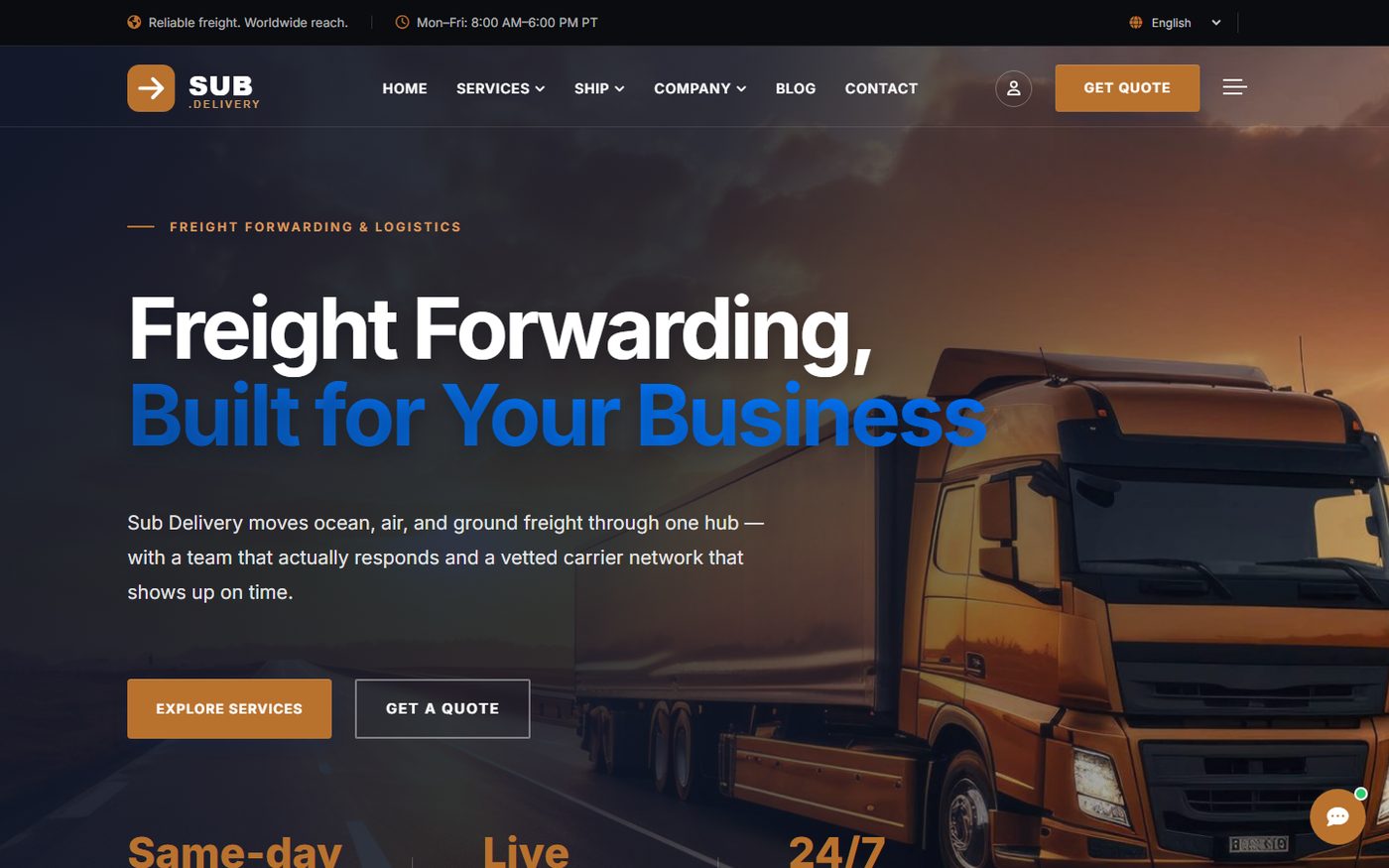
Sub Delivery is a freight brokerage headquartered in Atherton, California. It moves ocean, air and ground freight through its Port of Oakland hub and also offers customs clearance and warehousing.
It does not own trucks or vessels. It wins on how quickly it answers and on the quality of its carrier network, so the first impression online has to be fast, clear and trustworthy.
The challenge
Answer quote requests quickly across five services priced per kg, per day or as a flat fee.
Give customers self-service tracking so the team stops fielding "where is my shipment?" calls.
Serve international shippers in their own language without running separate sites.
Run operations from one place: shipments, documents, invoices, email and campaigns.
Keep control of cost and data, with no per-seat fees and nothing held by a third-party tool.
5service lines, each with its own rate card
9site languages, chosen by visitor country
24/7quote requests, tracking and chat
1back office for shipments, mail, billing and staff
Two ways to deploy
The script, or a custom build.
A logistics business can reach a platform like this by two routes. Sub Delivery shows what each one contains, so you can choose the one that fits.
Route 1
The Sub Delivery script
The ready-made platform, installed and configured for your company. It works the day it is installed.
Public website with services, pricing, network, blog, careers, FAQ and legal pages
Online quote form and tracking by tracking number
Customer accounts with passwordless sign-in
Admin back office for shipments, events, documents and invoices
Dispatch, riders, live map, cash on delivery and reports
Support inbox, email templates and automatic backups
Best for going live fast with a tested feature set and a predictable cost.
Route 2
A custom-built platform
Built or extended around your own pricing, markets and workflow.
Rate cards and quote logic that match how you really price
Branding, copy and photography for your region and hub
Multi-language site, selected by visitor country
AI chat assistant that captures leads and logs every conversation
Stripe or Paystack payments and SMS notifications
Inbound email handling, campaigns and a partner tracking API
Best for a business with its own workflow that off-the-shelf software does not fit.
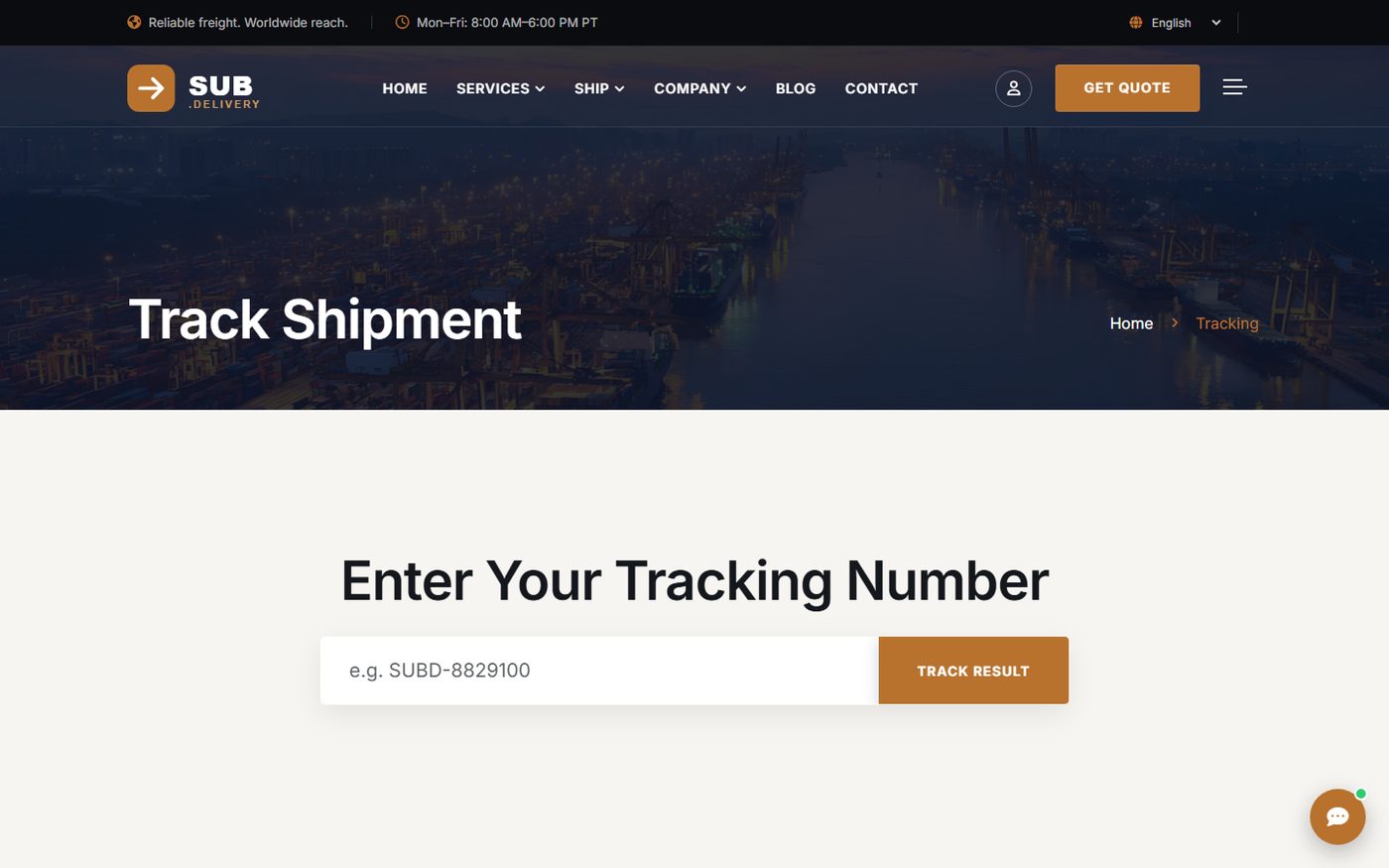
sub.delivery/tracking
Self-service tracking. Enter a number, see the shipment's history.
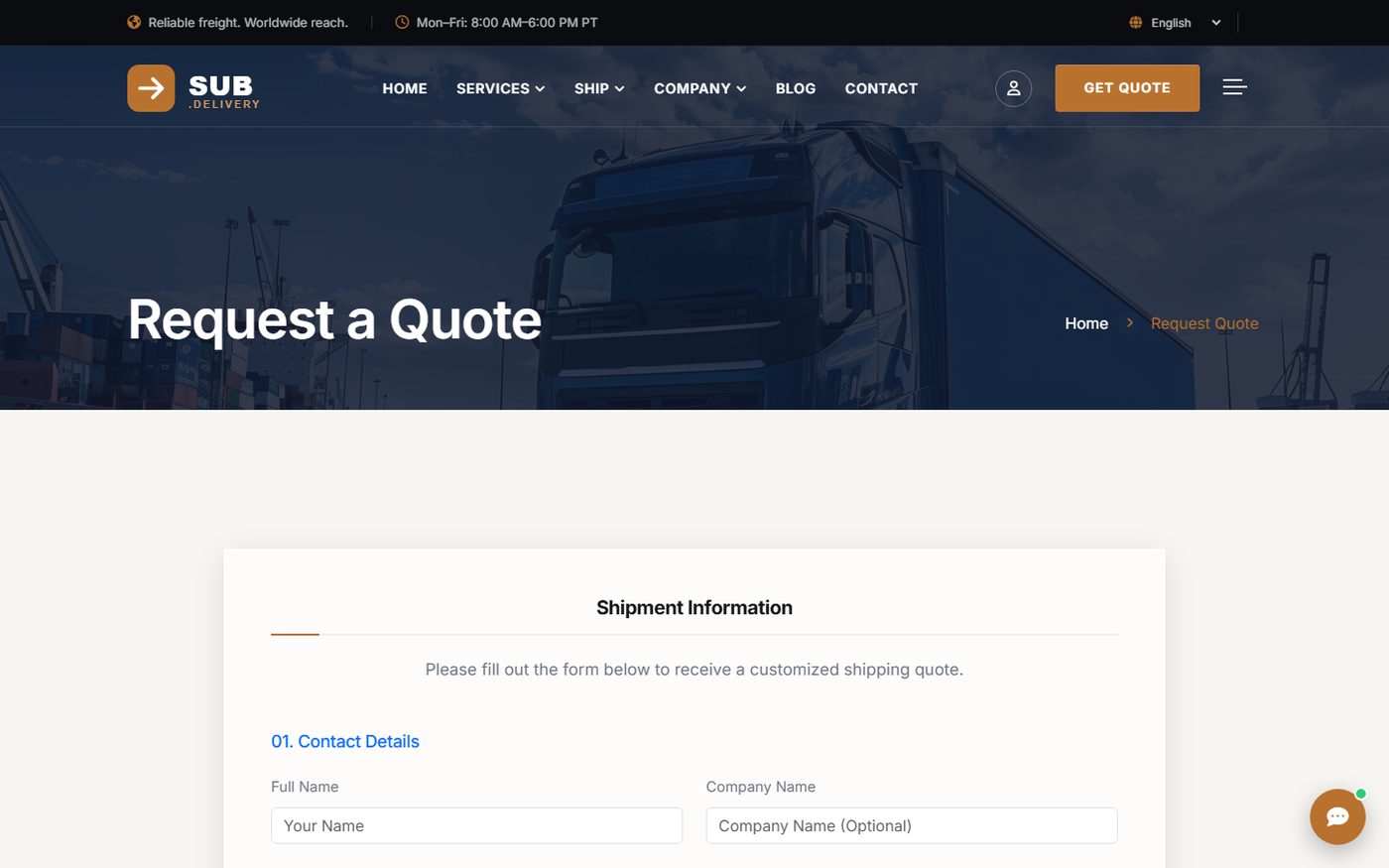
sub.delivery/get-quote
Instant quote requests, routed straight into the admin inbox.
Dashboards
A back office built for daily operations.
Staff work from a fast operations console that shows what needs attention first, then lets them act in one or two clicks.
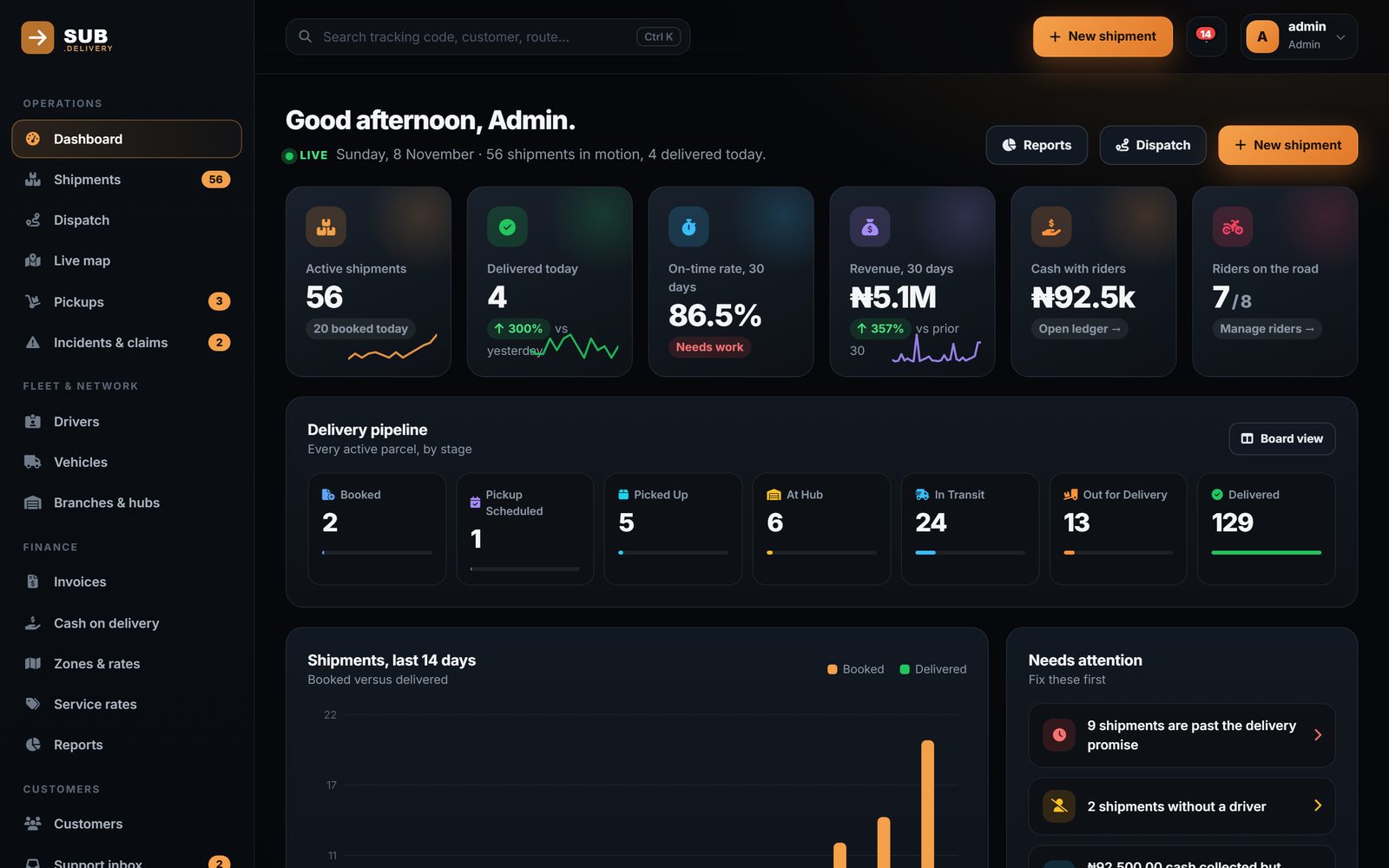
Admin · Dashboard
Active shipments, delivered today, on-time rate, 30-day revenue, the delivery pipeline by stage and a needs-attention list. Sample data shown.
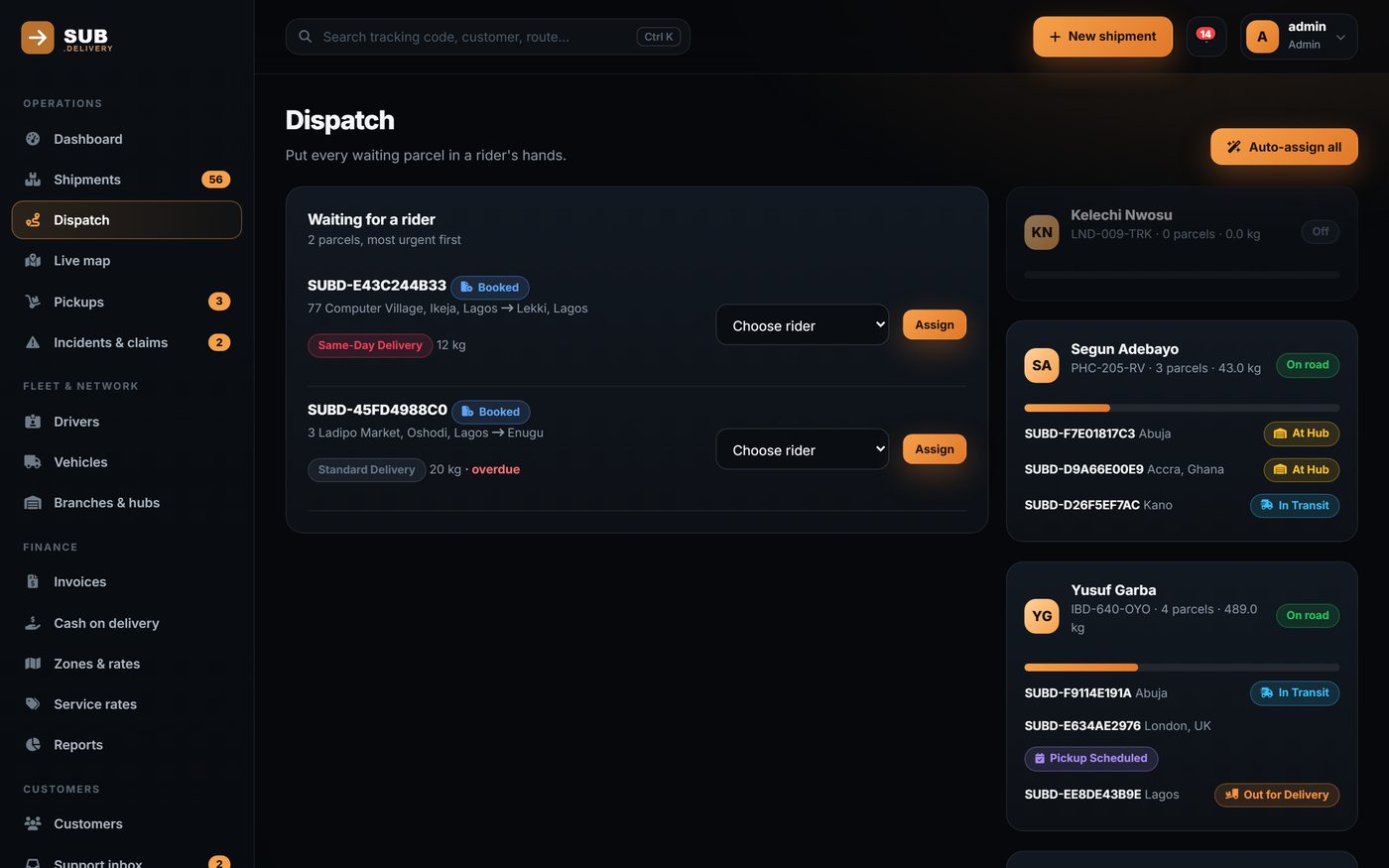
Admin · Dispatch
Dispatch. Waiting parcels beside riders and their loads, with one-click auto-assign.
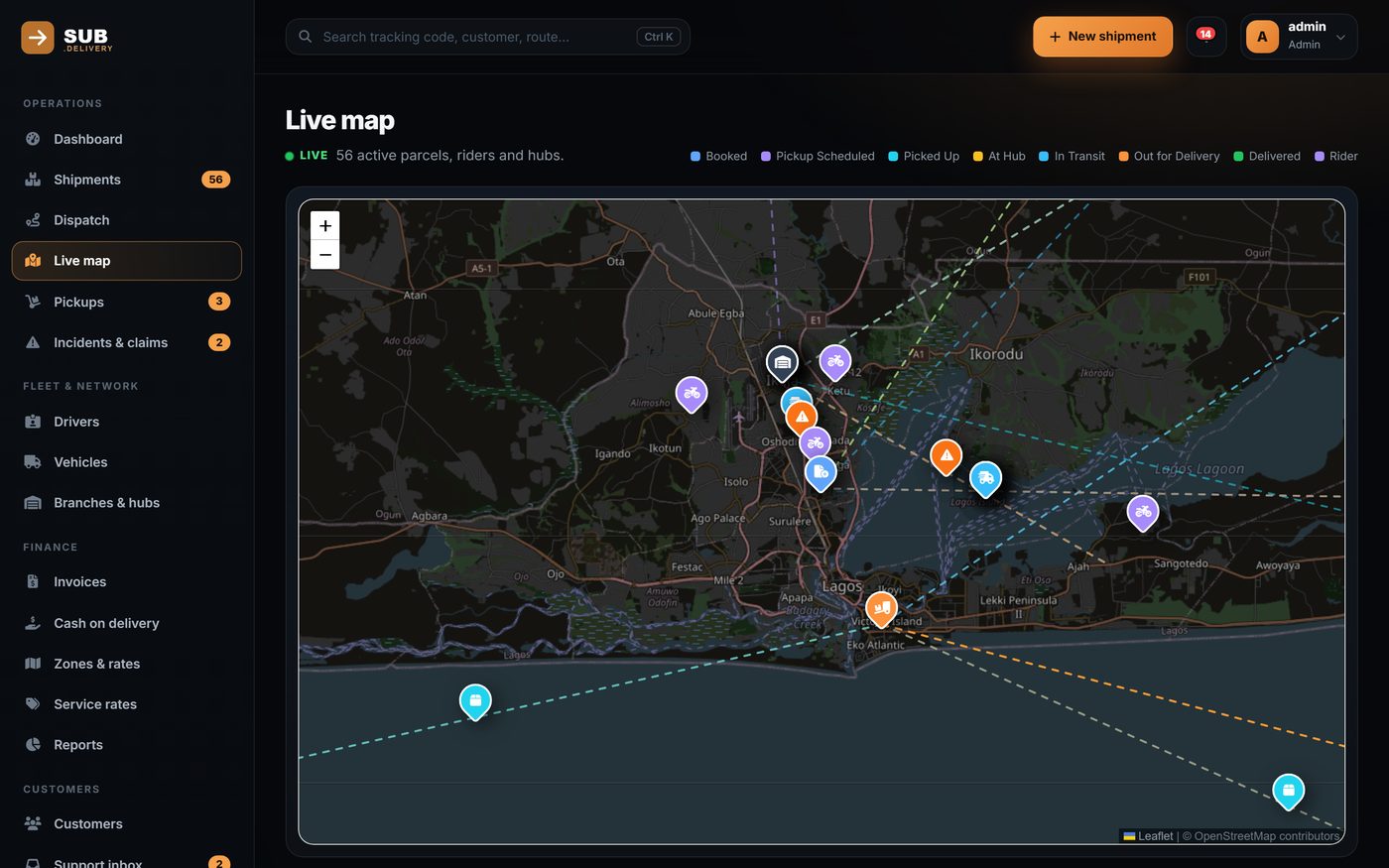
Admin · Live map
Live map of riders and parcels in motion.
ShipmentsList and board views, timeline, documents, waybills and bulk import
Fleet and networkDrivers, vehicles, branches and hubs, pickups, incidents and claims
FinanceInvoices, cash-on-delivery ledger, zones and rates, service rates and reports
Portals
Every user gets their own view.
Customers, riders and staff each see exactly what they need, on the device they actually use.
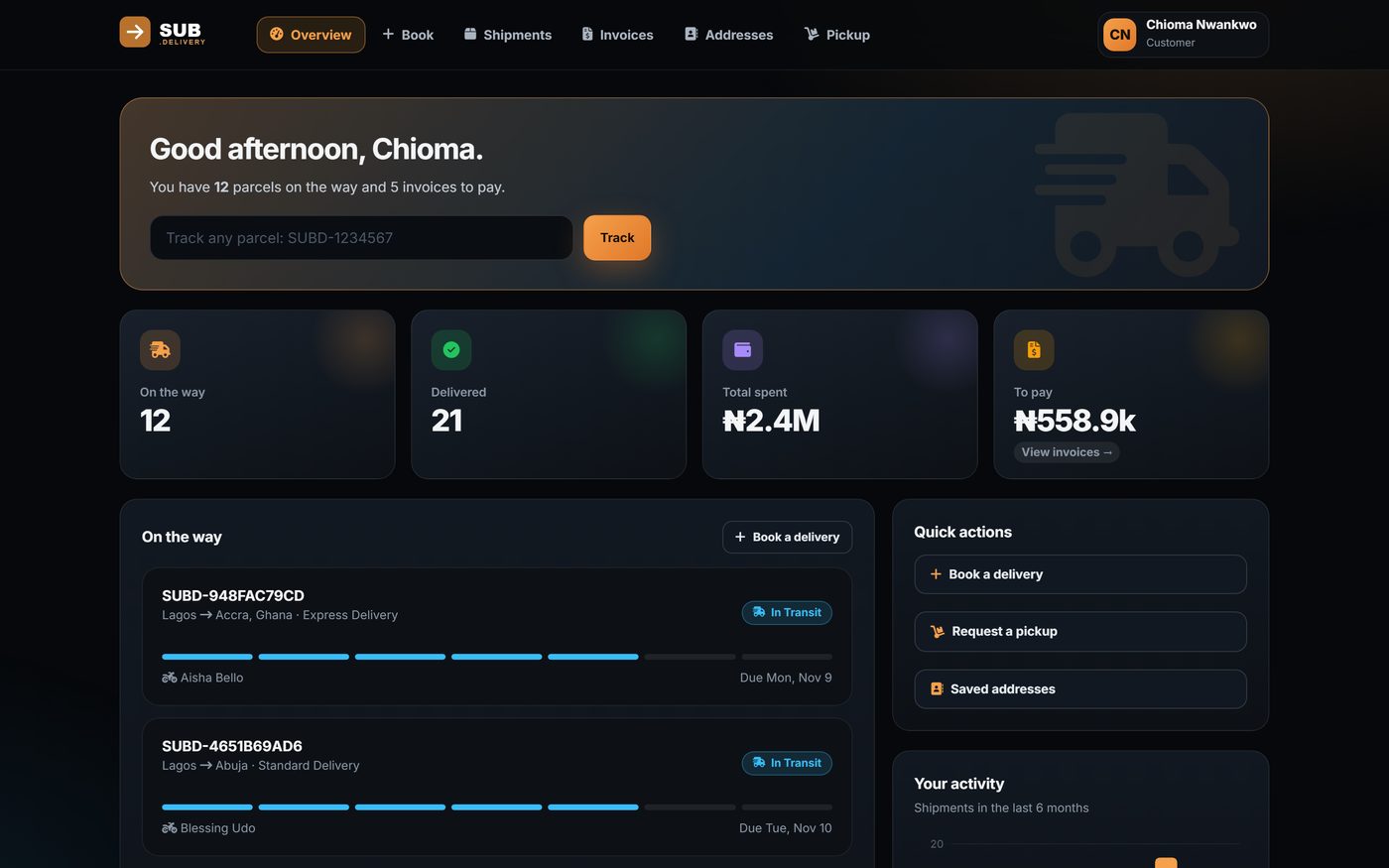
Customer portal
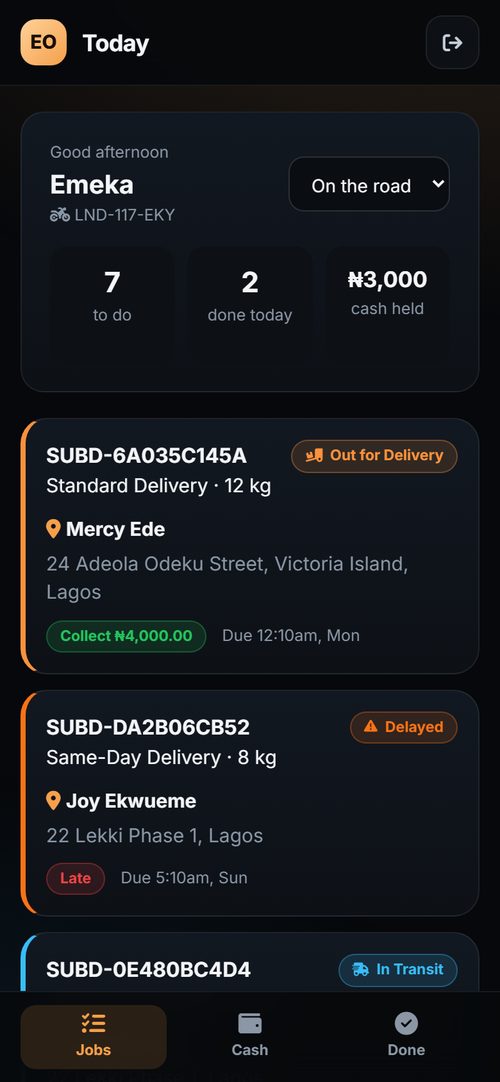
Customer portal and rider app, shown with sample data.
Customers
Sign in, book shipments, track them and pay online.
Riders
See their jobs, update status and capture proof of delivery from a phone.
Staff
Role-based access with two-factor sign-in.
Installation
Live in minutes, not weeks.
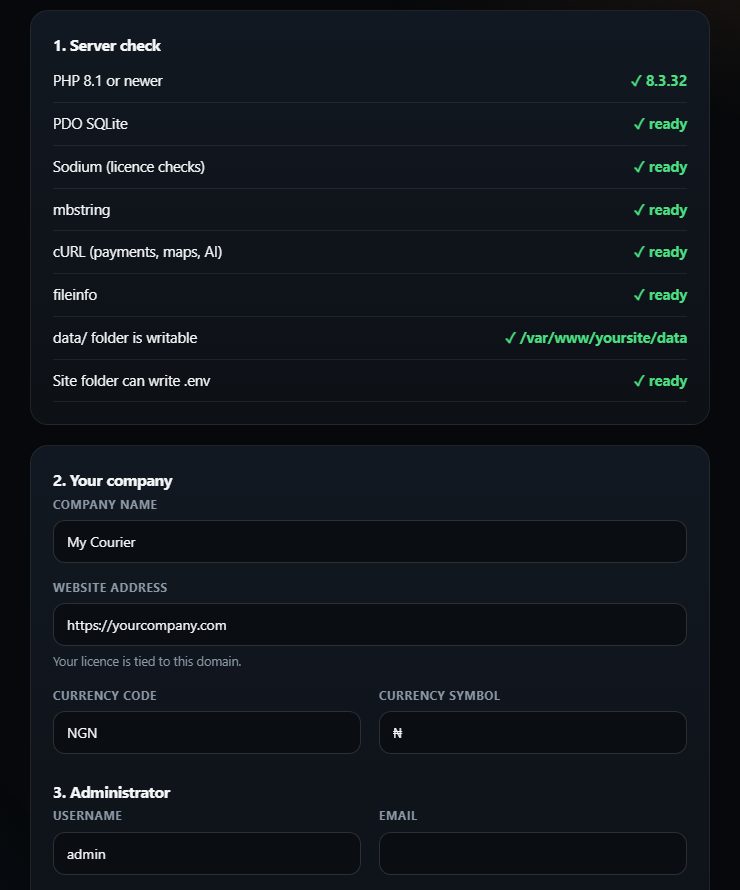
The platform installs itself through a guided web installer. No command line and no database server to configure.
Uploadthe files to ordinary PHP hosting.
Open the installerin a browser. It checks PHP version, extensions and writable folders.
Enter your details:company name, website address, currency and administrator login.
Done.The database is created and the installer locks itself.
Connect services.Add one scheduled job for emails and backups, then connect payments and email in Settings.
yourcompany.com/install
Capabilities
Everything Sub Delivery runs on.
Quoting
Visitors request a quote around the clock. Every request lands in the admin with full details, and staff reply from the built-in inbox.
Tracking
Customers look up a shipment by number and see its full history. Partners can pull the same data through a tracking API.
Operations
Create shipments and parcels, post status events, attach documents and issue invoices from one admin area.
Communication
Support inbox, mail log, templates, bulk campaigns with a send queue, unsubscribe handling and optional SMS.
Lead capture
An AI chat assistant answers common questions 24/7 and turns conversations into leads, with full history for staff.
Global reach
Nine languages, including Spanish, French, German, Portuguese, Chinese, Japanese, Korean and Arabic, chosen by visitor country.
Payments
Stripe and Paystack checkout with webhook handling, so customers can pay invoices online.
Security
Role-based access, two-factor sign-in, encrypted stored credentials and scheduled backups.
SEO and content
Blog, sitemap, robots file and per-page metadata, so the site can be found for freight searches.
PHPSQLiteStandard shared or VPS hostingStripe and PaystackTwilio SMSREST tracking APITOTP two-factor
The client hosts and owns the platform: no per-user licence fees, no external database server and no customer data held by a third-party SaaS vendor.
Biply Agency
Want something like this for your business?
Whether you need the ready-made script live quickly, a custom build around your own pricing and workflow, or both, we set it up, customise it and support it after launch.